The PDF Reports portlet can be used to:
The publishing of reports will need to be administered centrally by the JICS administrator. InfoMaker reports can be created by any users and passed to the JICS administrator to be published.
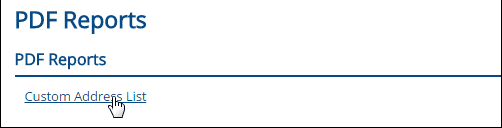
Access the PDF Reports portlet. A list of available reports should appear.
Click on the report that you would like to run. Example

The Report Parameters appear. Enter or select values for each parameter.
![]() |
A value is required for every parameter. |
Click the Generate Report button.
A page with
the generated report appears. To view a PDF of the report, click
on the link provided next to the PDF symbol
.
To subscribe to the report, select an option from the Email me a copy of this report drop-down. This feature is available but currently does not save your subscription selection. This feature will be fully implemented in a future release.
|
If you are not able to access the report you need, contact your campus portal administrator for assistance. |
Once your report has generated, select an option from the Email me a copy of this report drop-down.
This option will allow you to receive an emailed copy of the report daily. Select 'Daily' from the drop-down to select this subscription setting. This feature is available, but does not currently save your subscription selection. This feature will be fully implemented in a future release.
Once you select "Weekly" from the drop-down, you can select the day of the week on which you would like to receive the emailed report. Select 'Weekly' from the drop-down to select this subscription setting. This feature is available, but does not currently save your subscription selection. This feature will be fully implemented in a future release.
Once you select "Monthly" from the drop-down, you can select the day of the month on which you would like to receive the emailed report. Select 'Monthly' from the drop-down to select this subscription setting. This feature is available, but does not currently save your subscription selection. This feature will be fully implemented in a future release.